Power Query Intro in Excel (Clean and Combine Data)
Import, clean and refresh data with Power Query.
- Clean once
- Into Power Query
- The leading zero trap
- Fix the names
- Remove duplicates
- Load it back
- Recap
Step by step
1. Clean once
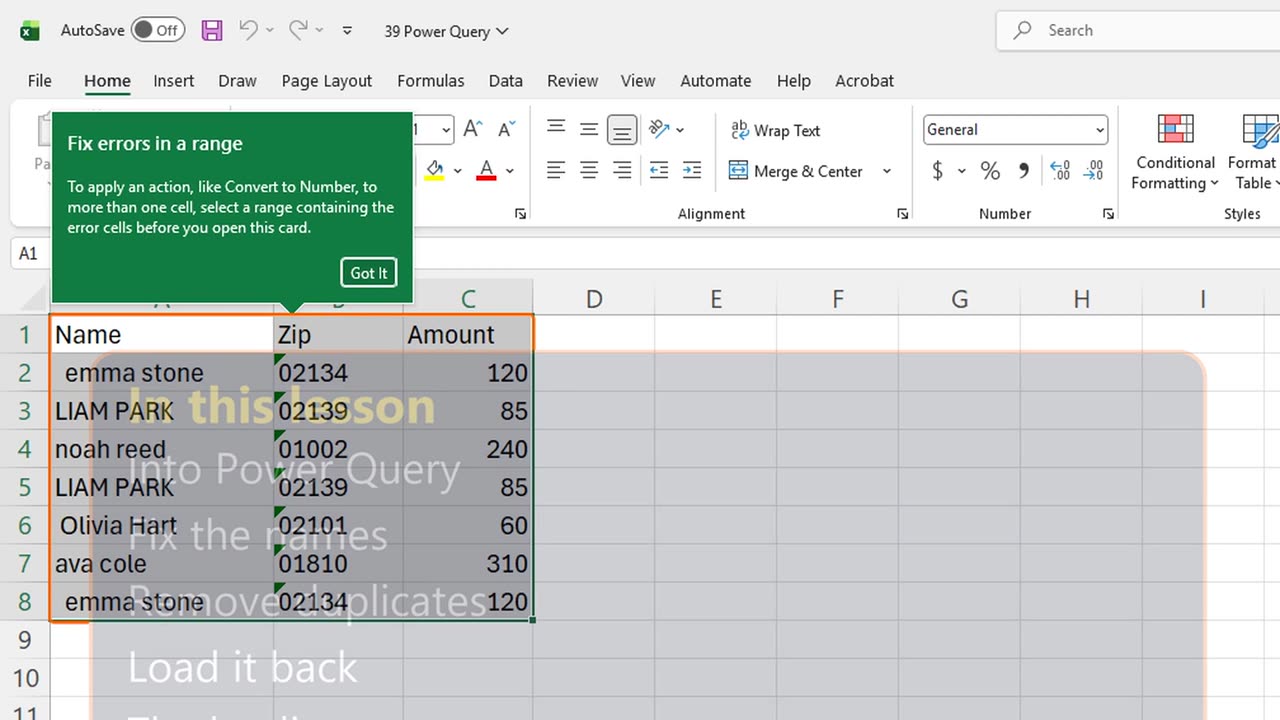
Every month the same export arrives: extra spaces, shouting capitals, duplicate rows. Power Query cleans it once, and then every month with one click.
You will load the data into Power Query, fix the names, remove duplicates, load it back, and avoid the trap that eats leading zeros.
2. Into Power Query
Click inside the data and choose Data, From Table or Range: Alt, A, P, T. Excel turns the range into a Table first; press Enter.
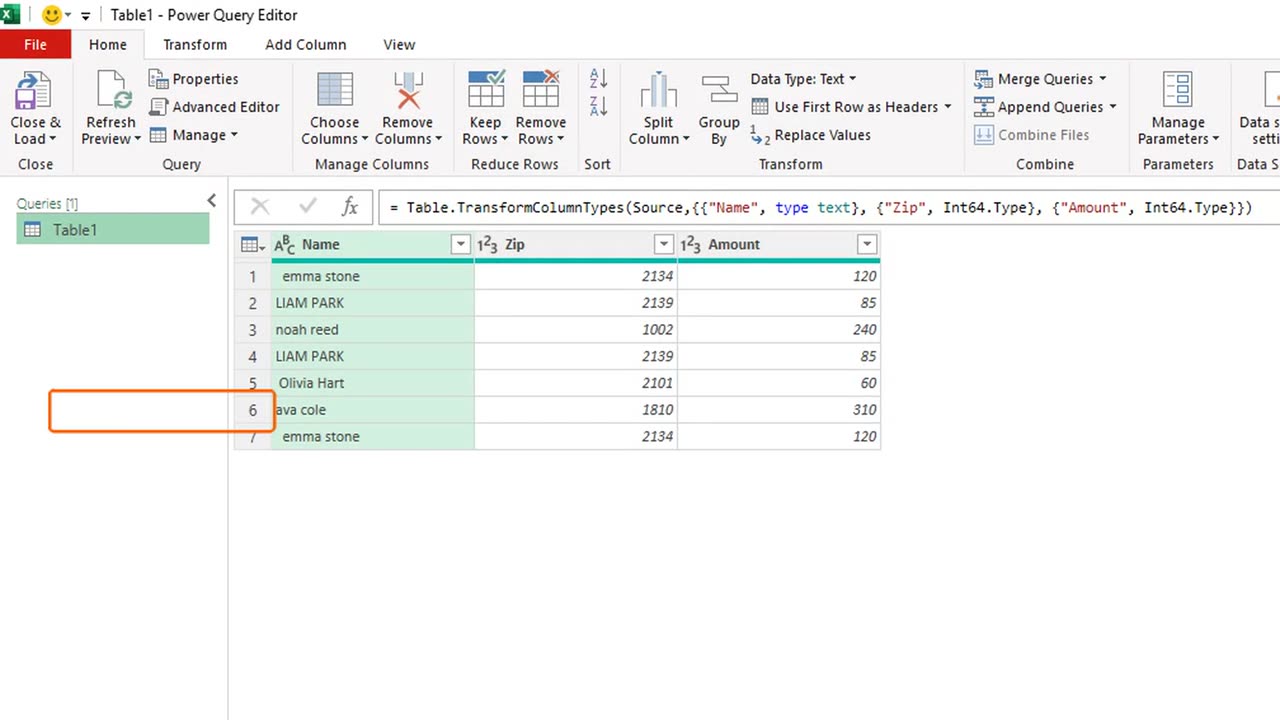
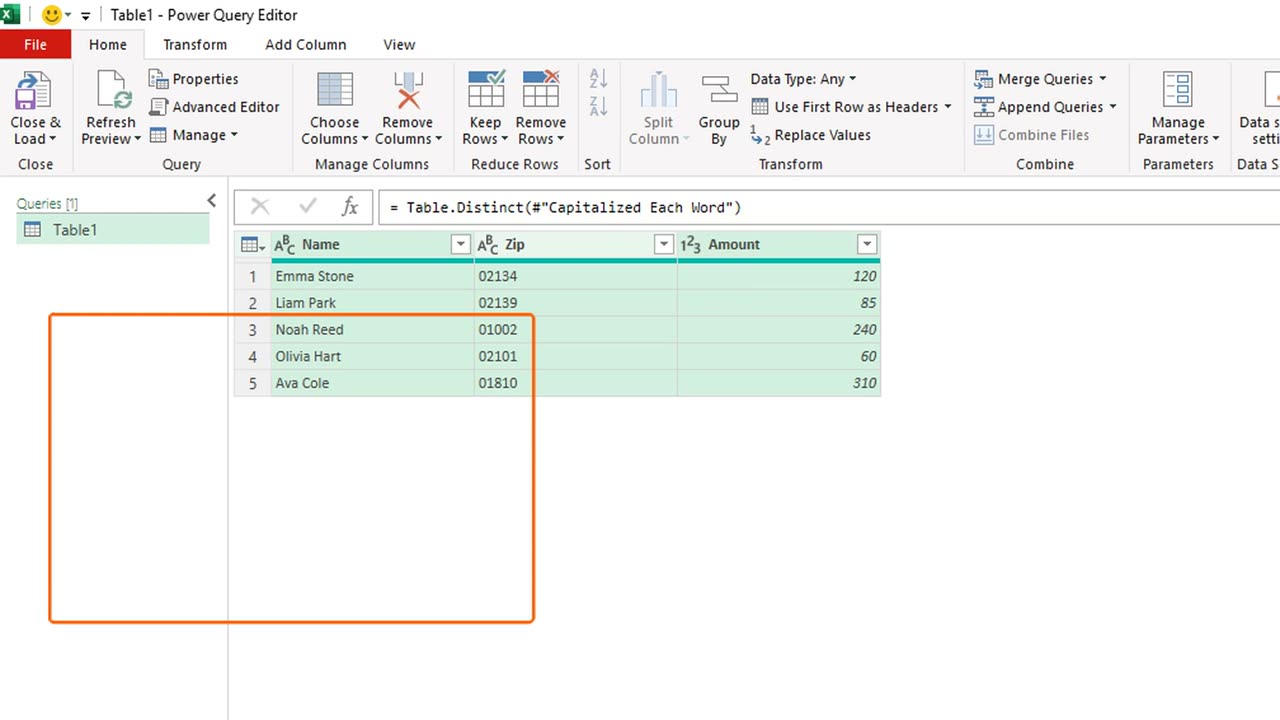
This is the Power Query editor. It looks like Excel, but every click is recorded as a step on the right, so it can be replayed later.
3. The leading zero trap
Look at Zip. The first step, Changed Type, guessed that postcodes are numbers. Zero two one three four became two one three four.
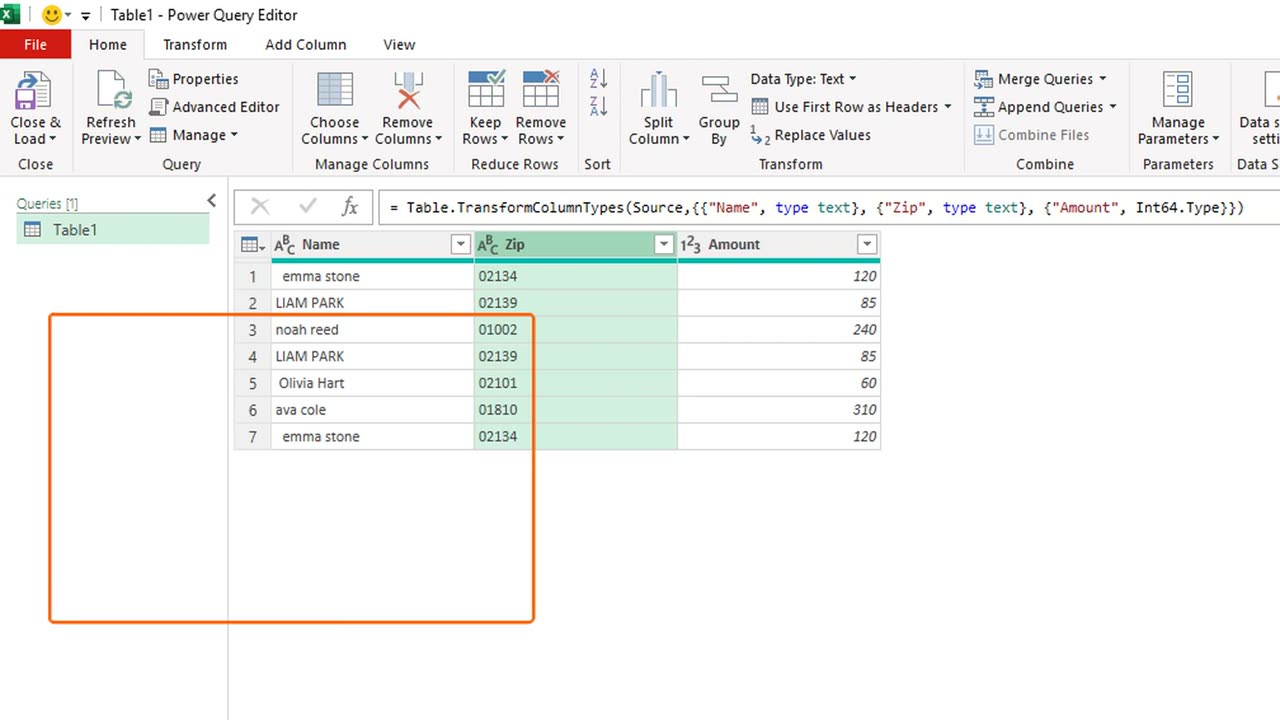
That is the trap. Postcodes, phone numbers and IDs are text, not numbers. Click the type icon on the Zip header, choose Text, and Replace current.
4. Fix the names
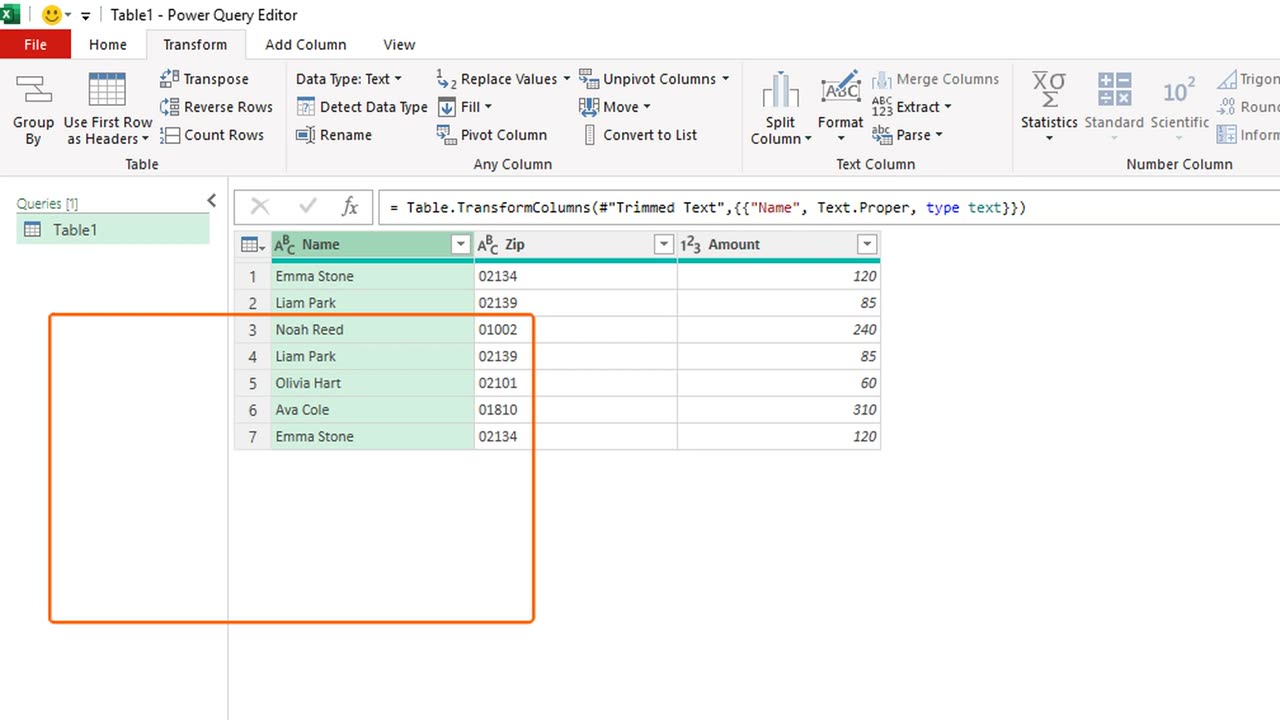
Now fix the names. Click the Name header, then Transform, Format, Trim. The extra spaces are gone.
Format again, Capitalize Each Word. Shouting capitals and lower case both become proper names.
Quick pause: if this already beats cleaning by hand, a like really helps the channel. Two steps left.
5. Remove duplicates
Remove the duplicates: press Control and A to select every column, then Home, Remove Rows, Remove Duplicates.
Every click is now a step on the right. Next month, the same steps run again by themselves.
6. Load it back
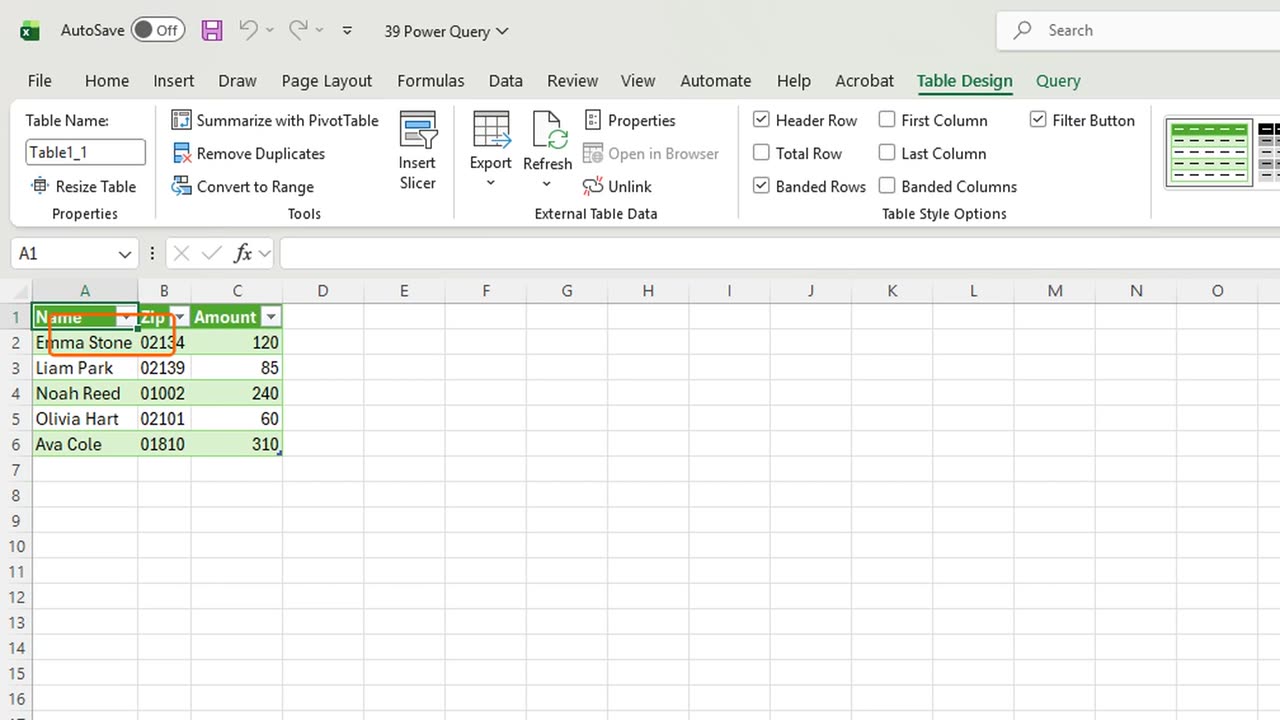
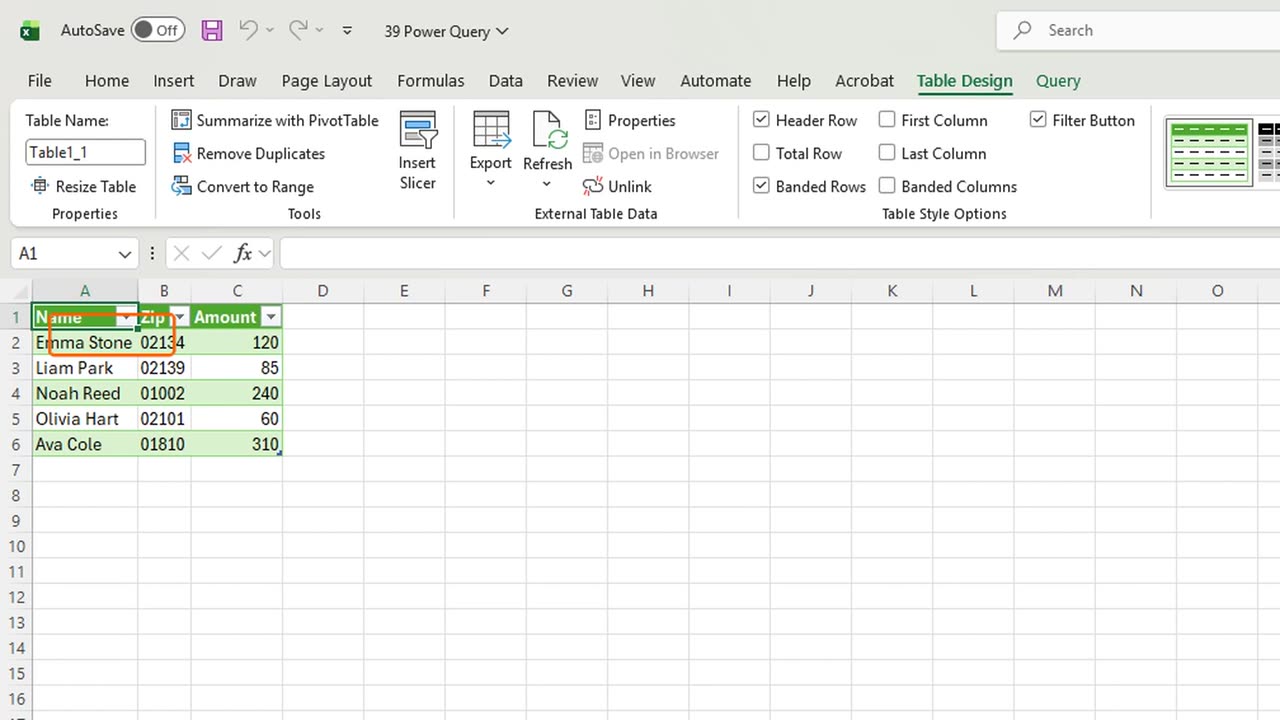
Load it back: Home, Close and Load. The clean data lands in a new sheet, as a Table.
When next month's export replaces the source, press Control, Alt and F5, and every step runs again.
7. Recap
Recap: Alt A P T opens the data in Power Query, set IDs and postcodes to Text, clean with Trim and Capitalize, remove duplicates, Close and Load.
In the next lesson, you will record your first macro and replay a whole task with one key.
Which messy export would you clean first with Power Query? Tell me in the comments.
← Previous tutorial: Excel Collaboration: Share, Comments and Notes
Next tutorial: Excel Macros for Beginners (Record Your First Macro) →